今日诗词

本文将介绍如何增添随机诗词的展示。

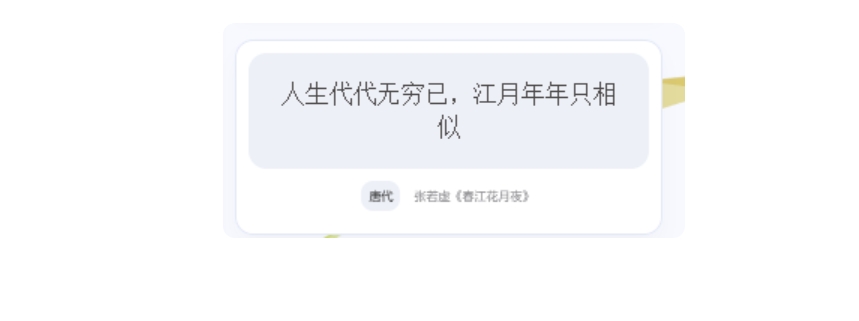
具体效果如下:

创建组件

主题新建themes/anzhiyu/layout/includes/widget/card_poem.pug,内容如下

1
2
3
4
5
6
7
8
9
10
11
12
13
14
15
16
17
    #poem_sentence
#poem_info
#poem_dynasty
#poem_author
script(src='https://cdn.jsdelivr.net/npm/js-heo@1.0.11/poem/jinrishici.js', charset='utf-8')
script(type='text/javascript').
jinrishici.load(function(result) {
var sentence = document.querySelector("#poem_sentence")
var author = document.querySelector("#poem_author")
var dynasty = document.querySelector("#poem_dynasty")

var sentenceText = result.data.content
sentenceText = sentenceText.substr(0, sentenceText.length - 1);
sentence.innerHTML = sentenceText
dynasty.innerHTML = result.data.origin.dynasty
author.innerHTML = result.data.origin.author + '《' + result.data.origin.title + '》'
});

引入组件

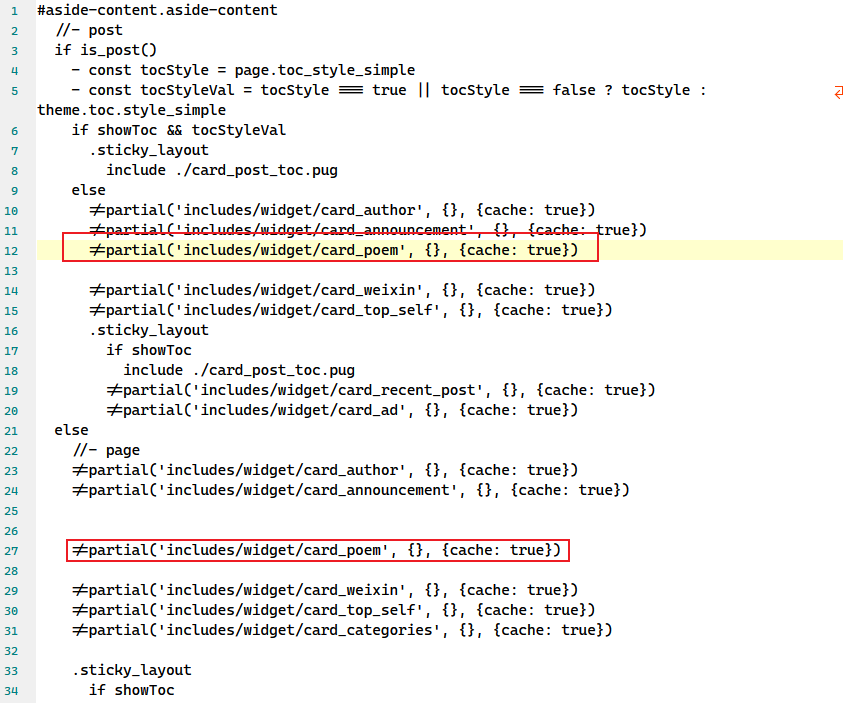
themes/anzhiyu/layout/includes/widget/index.pug中你需要的位置添加以下内容

1
!=partial('includes/widget/card_poem', {}, {cache: true})

引入CSS

在主题配置文件中添加

1
2
3
4
inject:
head:

-

heoMainColor.css

1
<link rel="stylesheet" type="text/css" href="https://cdn.jsdelivr.net/npm/js-heo@1.0.11/mainColor/heoMainColor.css">

引用主css

1
<link rel="stylesheet" type="text/css" href="https://cdn.jsdelivr.net/npm/js-heo@1.0.11/poem/poem.css">

这里调用的是今日诗词API,是一个可以返回一句古诗词名句的接口。

它可以通过图片和 JSON 格式调用。今日诗词 API 根据不同地点、时间、节日、季节、天气、景观、城市进行智能推荐。

访问链接:https://www.jinrishici.com